Clients book themselves.
You get notified.

Your schedule is published the moment you save it. Clients book in the Bobclass Go app, on your web booking page or on your own website. Clients with an active pack or membership are booked in instantly; other requests come to you to approve.

Download free → A booking page is included in every plan

Three ways to book, one schedule behind them

1

Your booking page

Classes and appointments are published instantly to a web booking page that comes with Bobclass. Guests can book with just an email address, if you allow it.

2

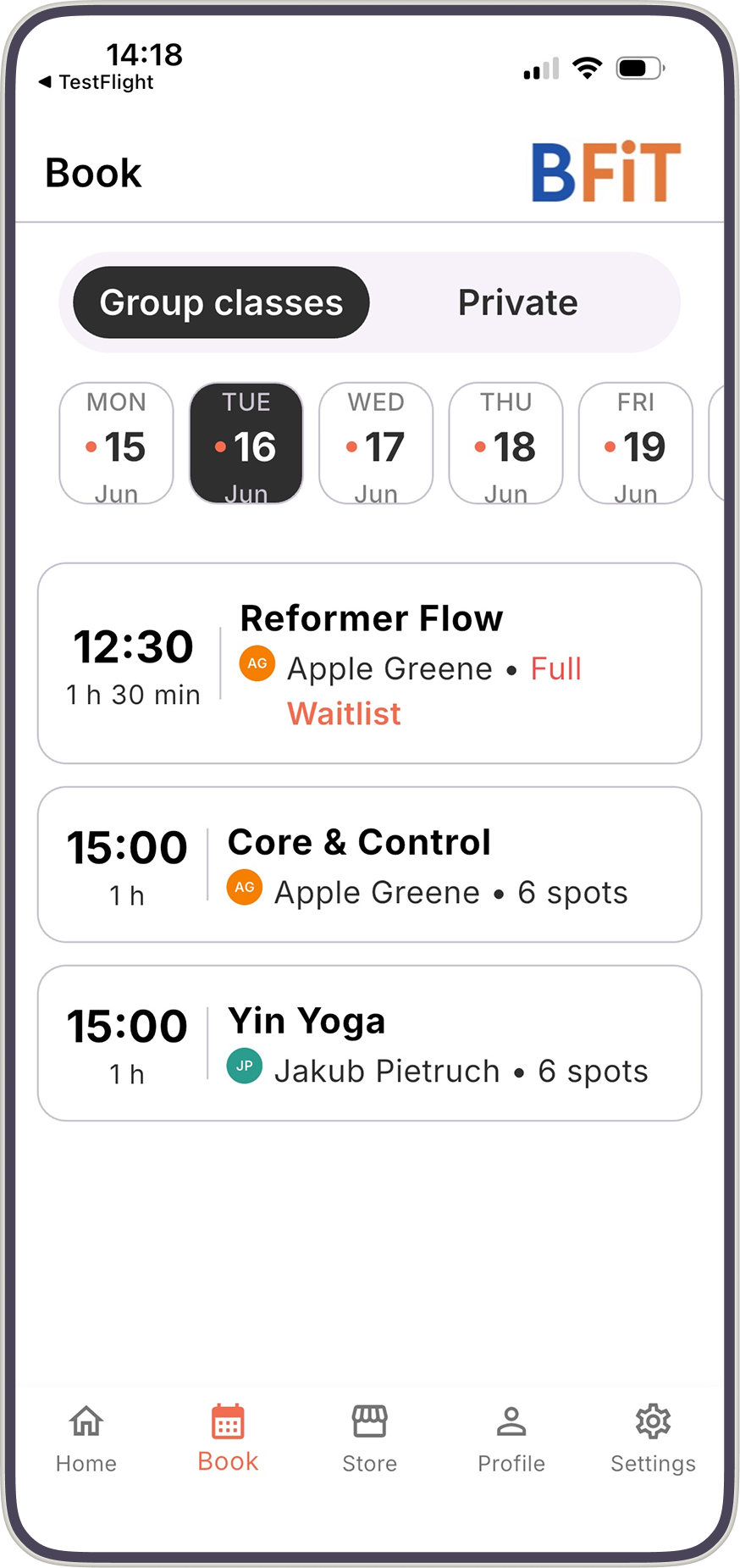
The Bobclass Go app

The same booking system as an app on the client's phone. Signed in, clients can also cancel, join waitlists and buy from your Store. It shows only your studio. (Pro and higher)

3

A widget on your website

Embed your schedule on your own site, plus a second widget for packages, memberships and retail items. (Studio and Unlimited)

Booking that keeps your schedule accurate

  • Group classes and private appointments, bookable side by side.
  • Clients with an active class pack or membership are booked in instantly. Requests from new clients, or clients without one, come to you for approval unless you switch approval off.
  • Guests book with just an email address; signed-in clients can also cancel their own bookings, within the cancellation policy you set.
  • For appointments, clients pick an activity, an instructor and a free slot based on the availability you set.
  • Full classes can take a waitlist on the Studio and Unlimited plans.
Booking page in every plan · app from Pro · widget from Studio · See pricing
Bobclass Go app on iPhone showing the class schedule and booking screen

It all runs on one schedule

Common questions about online booking

How do my clients book?

Through Bobclass Go, which they can use as an app on their phone or as your web booking page in a browser. The two are functionally identical.

Do I have to approve every booking?

No. Clients you already know who hold an active class pack or membership are always booked in instantly. By default, requests from new clients or clients without an active package need your approval, and you can switch that off.

Do clients need an account to book?

Not necessarily. With guest mode on, a client can book with nothing more than an email address. To cancel, join a waitlist or buy a pack, they sign in with the email address you have on file and a one-time code.

Which plans include online booking?

The client booking page is in every plan, including the free one. Bobclass Go is included from Pro, and the booking and store widget for your website from Studio. See pricing.

Can I embed booking on my own website?

Yes, on the Studio and Unlimited plans. One widget shows your schedule for booking, and a second shows your packages, memberships and retail items. Try the widget builder.

Do clients see other studios in the app?

No. When a client opens Bobclass Go they only see your studio: your schedule, your classes, your booking page.

Can clients cancel their own bookings?

Yes. Signed-in clients can cancel their own bookings, and you control the cancellation policy. Guests who booked with only an email address cannot self-cancel.

Can I book on a client's behalf?

Yes. A client can book a slot themselves, or you can book it for them.
Open your schedule for booking

The booking page is part of the free plan. Set up in a day, with no annual contract.